I was going to write a guide to security-related HTTP headers, but it turns out that someone has already done it. So here you go, it's worth a read. I have locked down the out-of-the box Tuskfish headers a bit tighter. The content security policy header can break a lot of stuff (read 'any inline script or style sheet') and requires manual tweaking, depending on what you're doing.
Tuskfish 2.0.7 is a minor update to fix small bugs and add htmx support. Back end toggling of content on/offline now uses a htmx call to avoid reloading the whole page. This makes management easier when you have a large amount of content. The htmx library is now available in /vendor, but it is only used in the back end administrative theme.
Tuskfish 2.0.6 introduces automatic content expiry and sitemap update functionality, via a daily cron job script, updates third party libraries (jQuery 3.7.0, FontAwesome 6.4.0 and TinyMCE 6.4.2). A few bugs were fixed including custom RSS feed error if ID was empty, and indexing of soft 404 and enclosure links has been allowed.
Not recommended. Overally, the tripod is very solid, relatively light (1.3 kg) and feels like it would be good for smiting The Enemies of Journalists. It has a few useful features, including a 3/8 inch mounting thread that retracts to expose a 1/4 inch thread, and three built in 1/4 inch mounting threads at the top of the legs. The tripod legs extend out into three locked positions, including one near-horizontal, allowing the camera to be placed at ground level even without a center column.
I found a couple of minor flaws: Two of three (unneccessary) screws for securing the head worked loose and dropped out on the first day of use, and the spirit level on the supplied head was hopelessly misaligned, ie. useless. Despite that, it's otherwise well-built and fairly decent value for money, but the lack of quality control is disappointing and basically meh. It's ok.
In the late 90's, Macs let you set the colour of any folder from the context menu. Using colours to distinguish folders is fast and easier on the eye than forcing people to browse through long lists of names.
Somehow, coloured folders were replaced with 'tags', represented by tiny coloured and overlapping dots. You can apply multiple tags to a folder, but you have to squint and concentrate to make sense of the little dots, which defeats the purpose. Happily, it is still possible to turn the whole folder any colour you want. Here's how to do it!
Want to connect an external microphone to your MacBook Air? You can.
The 3.5 mm headphone jack is actually a combo jack, which is capable of supporting microphone input as well. But for microphone input you must use a TRRS jack (the ones with two black rings, such as on a phone hands free kit). The jack ouputs a headphone-level signal that can also be used to drive powered speakers, but not passive speakers.
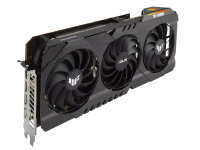
I started getting random crashes to black screen during gaming. It took a long time to isolate the problem, since the machine passed stress tests without issue, but after pulling my system apart, I finally noticed that the VGA light on the motherboard was lit after crashes. The fix was to update the GPU VBIOS, using an update tool from the manufacturer. It takes about 2 minutes and I haven’t had a problem since.
I don’t know if this is a problem with 6800XTs generally, or just with this specific model, but if you are having crashes and see the VGA tell-tale is lit, then check if an update is available for yours.
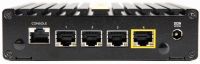
Recommended. I liked the Firewalla Purple so much that I pre-ordered the Gold Plus as soon as it was announced. I've had it installed for a couple of weeks now, and have a couple of thoughts to share. So why upgrade? Faster throughput and more ports. The Gold Plus has four 2.5 GbE network interfaces (NICs) as opposed to two 1 GbE NICs on the Purple. The faster NICs are only useful if you have 2.5 GbE capable equipment, or plan to get some in future (and even then, probably only if you are working on large files such as video projects).
TLDR: Using certain words such as "login" on your form will get it automatically flagged as suspicious. If you have problems, remove any terms that could be misinterpreted as phishing. It's likely that other terms such as "password" would also create problems.
Here's a simple fix that works. Why don't they just fix it already? This has been driving me mental across multiple distros for ages on every box I have. There's just no excuse to leave an obvious irritation like this sitting around for years. But that's what you get on Linux.