Tech notes

Random IT tests, fixes and and findings that might help others.

Copyright, all rights reserved.

In this collection

Quality and security of AI-generated code: Thoughts on a process

I've been experimenting with AI code generation for a side project written in Golang. The project has been implemented by Opus 4.6 (Claude Code) under my direction. This is the first time I've used Golang so I'm pretty slow and can't scrutinise the output as thoroughly as I could PHP. I've been thinking a lot about security. Are there processes we can follow to reduce risk, when working with machine-generated code? I think so. My high-level process has been to:

  • Have a discussion with the model about a feature or a change, to identify a good approach. It often comes up with better ideas or refinements.
  • Explicitly ask for an implementation plan, causing the model to break up the problem into a structured series of small steps, which I sanity check (read) and adjust.
  • Ask the model to implement the plan (if it is complex, perhaps one phase at a time).
  • Manually check that the change functions as expected.
  • Explicitly ask the model to review the changes and evaluate if it is a robust solution (repeat if necessary).

This process works well for two reasons. Firstly, it breaks up the work into small, carefully scoped chunks that fit within the model's context window, keeping it focussed. Secondly, the review aspects (the manual check, and instruction to critically review the work) removes a lot of bugs, so you maintain a solid foundation to work from. Most of the time Opus will find a few bugs in its implementation, if you ask it to check, and it may take two or three rounds before it stops finding problems.

A few thoughts on Golang vs PHP for web development

I have a new project nearing completion which is based on Golang, and with a Postgres backend. TLDR I wanted to add a compiled language to my skillset so that I could produce fast binary executables.

I settled on Golang because it is modern, memory safe (mostly) and provides highly efficient built in webserver functionality. Goroutines have a tiny memory footprint, fast start up time, and low CPU overhead, all from a single small compiled binary. Compared to Apache2 with its endless configuration options and complexity, it's quite a relief to deal with.

And Golang has not disappointed me. The efficiency gains are real and will allow me to deploy onto minimal hardware, thereby directly saving money. Even on a Raspberry Pi 5 development box (yes, really) my web app runs like lightning and has shockingly low CPU and memory footprints.

But there is a downside, and this is where PHP has the advantage: Maintenance. If a PHP site has a problem you can often login while it's running, poke around a bit and fix it, without much concern that you will torch the entire system. The files are human readable text, so modifying one or reverting a bad change is basically instant with limited blast radius. You can do emergency maintenance on the road from a tablet or even a phone.

Claude's crazy token burn has NOT been fixed stop apologising for them

Around the end of March there were widespread reports of a sudden jump in token consumption by Claude Code, mainly with Opus. People started burning through their usage limits in minutes, when previously they had hours.

This wasn't a problem for me, but I heeded the 'mitigation' advice and removed all plugins, skills, agents, and MCPs to minimise context injection. I also audited my configuration using the Context Audit skill you can download from Brad | AI Automation.

Around mid-April Anthropic claimed to have fixed it. Well, no. They haven't. I started experiencing the problem as soon as my usage reset and I had access to Opus 4.7, even though I reduced the effort to 'medium' from the default 'xHigh'.

It's terrible! Previously I could carefully steward my session limit through two or three hours of code work with Opus. Today? About 30 minutes and with a far smaller volume of work achieved.

Don't use Rode Connect to transfer files from the Rode Wireless Pro

It's insanely slow, ridiculously so. To get the files off quickly, just mount the transmitters as storage (Mac) and drag and drop the files onto your desktop. It's literally hundreds of times faster. If you plug the case into your computer with the transmitters inserted, they will mount automatically. (I presume that on Windows you can just open them as storage through File Explorer).

Review: S2Pi Aluminum NAS case with Ice Tower cooler

Replaced the double USB connector with a short male to male cable.

TLDR: Recommended for Raspberry Pi 4b...if you don't have issues with the USB connector (mine seems defective, which is a possible dealbreaker). Excellent construction but fan is noisy at high loads; can mitigate with an improved fan control script (provided). The S2Pi Aluminum NAS case provides a rugged housing for the Raspberry Pi 4b with M.2 SSD storage and an Ice Tower heat sink for strong cooling performance. It's an excellent package for upgrading your Pi to a lightweight server.

I have developed an improved fan speed control script that turns the fan off when not needed, and ramps with CPU temperature. Available for download within.

Testing Starlink internet from a Qatar Airways flight

Well, it works great. Very cool. And free, yay!

Raspberry Pi 5 + PCIe SSD: A Legitimate Server Platform

Pi 5 with 16 GB RAM, 1 TB Samsung 990 Pro M.2 SSD, and Geekworm P580 PCIe case.

I recently got dunked on for saying the Raspberry Pi 5 makes a great home lab server if you equip it with an SSD drive. And I don't really blame the guy, because until the Pi 4b, they were pretty awful, and for the 3B and below you were stuck with running the OS from a microSD card. His mental model was probably stuck somewhere around there.

The Pi 5 is a huge level up in performance, especially once you add SSD storage via its PCIe slot.

PSA: If you're frustrated with ChatGPT's lies, try the command line version

TLDR: Recently ChatGPT just started wildly lying, inventing rubbish and disregarding my instructions. The root cause seems to be that OpenAI has instructed it to reduce use of the search tool (you can see references to this in the chain of thought). I imagine this is to conserve resources, but without some factual context to go on ChatGPT hallucinates like hell.

But there is a better way: Use the command line version of your preferred AI tool. Watch NetworkChuck's video for details! These are available for Gemini (free), ChatGPT and Claude (both of which require a standard subscription). Why is it better? You can force the AI to remember rules and context for any given project, agent workflow, or output style, making it much more reliable.

Firewalla WIFI SD dongle works on Raspberry Pi

According to the marketing materials, the proprietary Firewalla WIFI-SD USB dongle/antenna only works with their (excellent) hardware firewalls. But I needed an external WIFI antenna for a Raspberry Pi, so I inserted it into a USB port to see if it would work, and yeah it does. The downside is that the Pi only seems to have drivers to use it on the 2.4 GHz band, while the antenna is supposed to be a WIFI 5 device.

It is apparently based on the dual-band RTL8821CU chipset (802.11ac). Probably you could get it working on 5 Ghz if you were prepared to tinker with drivers but I'm told this chipset is notoriously difficult to work with, and kernel updates would probably keep breaking it, so I'll pass. Anyway, if you login to a Firewalla box via SSH the default username is 'pi', so you can probably guess why this works.

Moving on from FontAwesome: IcoMoon

I like FontAwesome (I'm a backer), but I'm so over subscription services, there's only so much many times I want to pay for the same icon collection, you know? I'm also annoyed that they withdraw access to the subsetter app once your subscription expires. That's miserable, given that subsetting the icons is mandatory to control file size, as the full icon library is too large to use.

IcoMoon has a free online tool that lets you convert icon collections into a custom font. You upload your icon SVGs, select the ones you want to use, and export them back out as a font, which is trivial to incorporate into your project. The files are much smaller, and do not require any Javascript. I will probably remove the FontAwesome script from Tuskfish and re-implement the icons as a font. This will also allow other icon sets to be integrated, as you aren't limited to the FontAwesome set.

Practical review: Garmin Forerunner 965 - worth an upgrade?

I upgraded to the Forerunner 965 from a 945. After using the 965 for a couple of weeks I would say there are two significant improvements, neither of which is a 'must have':

  1. The new AMOLED display of the 965 is a lot better. It is very bright and clear compared to the previous MIP displays found on previous generation watches, including the 945. It also has  a much higher resolution (454x454 pixels vs 240x240). On dynamic apps like the compass it really does look great.
  2. Touchscreen functionality. You can swipe to navigate through screens and select items, and on maps you can pan around and zoom with your fingers, which makes the limited screen far more useable for navigation. On previous gen watches like the 945 you have to use buttons for everything, which is slow and clumsy at least as far as maps go.

So: Is it worth the upgrade? If you use the mapping applications a lot then I would say yes. Being able to pan with your finger is a game changer.  Otherwise, the functionality is very similar to the 945. There are a few more apps but nothing that you are likely to miss.

How to avoid the Microsoft 365 Family price increase

If you have a Microsoft 365 Family subscription, you probably got an email notifiying you of a 30% price increase. This is a con and you don't have to pay it. The truth is, you are being silently upgraded to a higher subscription tier with the same name. The new tier includes Copilot AI integration, and that's what you are being charged for on the sly. To avoid the price increase, you can opt out of Copilot integration. Instructions inside.

Fix: Sony WH-1000XM4 / WH-1000XM5 won't charge

Sony WH-1000XM4 noise-cancelling headphones are excellent.

TLDR: Quick charging technologies can cause problems. The headphones charge reliably over 5 volt connections, but may cease charging if there is an option to negotiate higher voltage charging as found on many recent chargers. Try using an ordinary USB cable without Power Delivery (PD) capabilities, or a charger that won't output more than 5 volts, and charging may be yours again. Also applies to power banks.

[I have added] Optional support for ImageMagick 6

Optional support for ImageMagick V6 is now available. This gives much better quality thumbnails than PHP's native GD2 library, but at the cost of some manual configuration. You need to:

  • Have ImageMagic installed on your webserver (most hosting companies provide this).
  • Access to PHP's exec() function must be enabled (it is often disabled by default through the disable_functions setting in php.ini).
  • Swap in an alternative ResizeImage.php trait file (provided).
  • Configure the file path to an sRGB.icc colour profile on your server (you can download one if necessary).
  • Clear the image cache (html/cache), which will cause thumbnails to be rebuilt.

You can adjust the level of compression and sharpening in the trait file method createThumbnailWithExec().

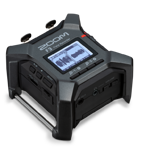
Zoom F3 review: Best value portable field recorder, with a few quirks

Recommended. I've had a Zoom F3 for a while now, but I've only recently taken it on a field trip. I bought it to record wildlife and environmental ambiences (a hobby), but most of the time I'm recording meetings (work), and pack a Zoom H6 (not the new "essentials" version).

The H6 has a few shortcomings, mainly its size and very average quality preamps. But it is an enormously flexible device and has an intuitive interface with hardware knobs for each microphone input. The X-Y stereo capsule it ships with is great for meetings, if you just want an ok recording to check your facts later.

But this time, I needed something light, so I took the F3 instead, and it worked out far better than I expected. Apart from the obvious advantage (size), the F3 has a few improvements over the H6.

Update: The new Tascam FR-AV2 is the new best portable field recorder, but significantly more expensive.

The real reason people record video at 24 frames per second (and why you shouldn't)

Ever wondered by many professional YouTubers shoot video at 24 frames per second? You have probably heard it explained away as "the most cinematic" frame rate. You probably also heard that people can't see frame rates beyond about 30 fps. Well, that's wrong (ask a gamer if they notice the difference between 60 and 144 fps).

The real reason why 24 fps is so common is purely historical: It is basically the minimum frame rate that allows a moving image without annoying flickering. Video used to be shot on physical film, so keeping the frame rate as low as possible saved on costs. Apparently it also helped with sound synchronisation.

Neither of these are valid constraints in the modern era. Sticking to 24 fps just makes panning shots look terrible due to judder, especially on a big screen. You are better off going for 50 or 60 fps depending on your region, which will deliver a far more fluid image, so long as you keep your shutter speed at one over double the frame rate.

NGINX reverse proxy: How to increase max file upload size

The default upload file size limit in NGINX is 1 MB, so if you are using it as a reverse proxy for your Tuskfish CMS site, you may need to increase it. You can do this globally for the server itself, or you can do it on a site-by-site basis.

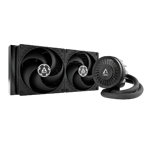
Arctic Liquid Freezer III installation advice on AM4/5

Recommended. I just installed the new Arctic Liquid Freezer III 280 on my AMD 5950x. It is a beast of a cooler. In an OCCT stability test with all 16 cores engaged at 100% workload my CPU sustains 4.5 GHz with a maximum temperature of 63°C, and that's in a warm room (the aircon is broken). There are some reviews showing that it is less effective on Intel CPUs (no idea why) but for AM4/5 it's top tier.

But you are going to hate the AM4/5 installation process. Here's how to make it less painful.

Rode Connect: Use advanced processing mode

TLDR I have been playing around with Rode Connect software, which came with the Streamer X, trying to EQ my voice. The software gives you choice of a basic or advanced processing modes. The problem with using the basic mode is that it activates all of the advanced controls in the background. You can't selectively turn options off or adjust them and you're stuck with the default values. This means, for example, that the noise gate is turned on in basic mode, which is something that I personally don't like because it is jarring when you do have a bit of environmental noise. So, if you need to turn anything off, use advanced mode.

Fixed my AMD Ryzen 5000x series random reboots

My Ryzen 5950x became unstable and started throwing random reboots. No errors are reported, and Windows logs just shows a kernel power loss event. The distinguishing feature is that the reboots usually happen when the CPU is lightly loaded or idle, or a few seconds after leaving a heavy workload. The machine passes stress tests without an issue. The consensus seems to be that the CPU is undervolting a bit too far under light/idle workloads. So people are experimenting with many different BIOS settings to try and fix it.

TLDR: After trying every BIOS adjustment under the sun, installing a different OS, and rotating every component bar the motherboard with old spare parts, I was left with only one option: It had to be the motherboard. So I bought a new one, and yes, everything just works great now.